
WiFi Cameras: An Honest Look at the Pros and Cons
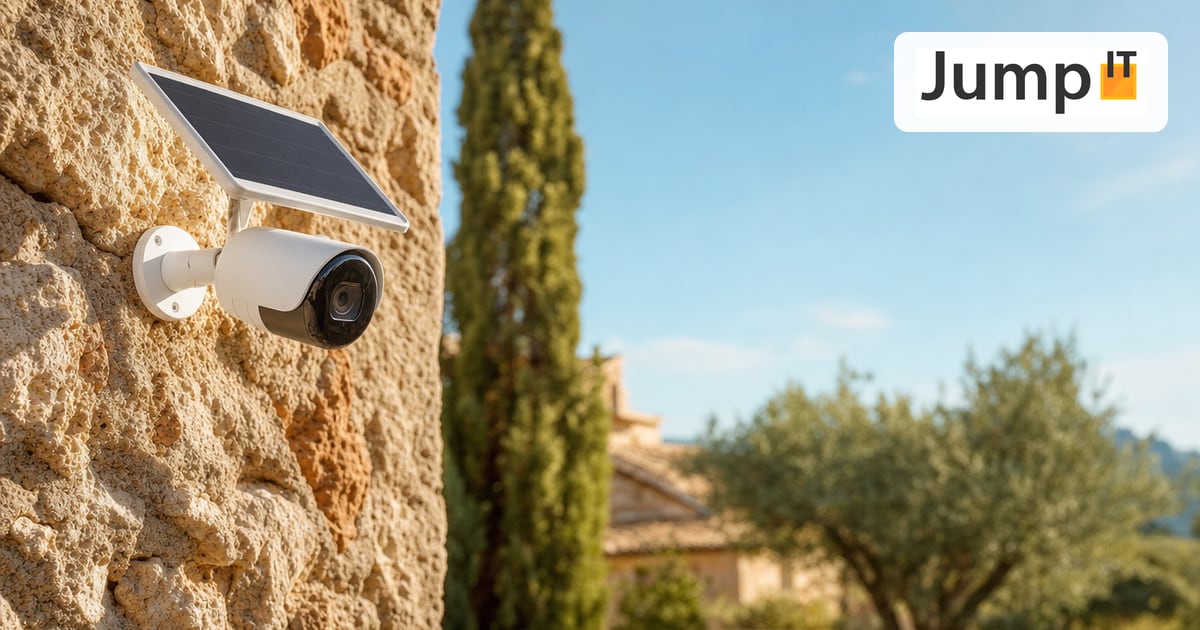
WiFi cameras are in high demand in Mallorca, especially for fincas, holiday rentals and older houses where running a cable would be laborious or expensive. The idea is tempting: hang the camera, connect it to the WiFi, done. No electrician, no chiseling, no cable through the natural stone wall. We often install wired systems such as UniFi Protect ourselves (see UniFi Protect & Access), but here we want to give you an honest, neutral assessment of WiFi cameras, with everything that works well and everything that tends to go unmentioned in practice.
What speaks in favor of WiFi cameras
The biggest advantage is obvious: no cabling. That not only saves tradesperson costs, it also opens up locations a cable would never reach anyway: a garden gate at the other end of the property, a corner of the pool, a property boundary. The camera can also be moved at any time if it turns out another angle makes more sense, and it simply comes along when you move or change tenants.
Getting started is easy too: the hardware is comparatively cheap, installation often takes only minutes, and if you only want to secure one or two spots, you don’t have to plan a whole system. Combined with a battery and solar panel, a WiFi camera is also completely independent of the power grid, ideal for spots with no outlet nearby.
Where it falls short in practice
The catch is right there in the name: a WiFi camera is only as good as the WiFi it runs on. In classic Mallorcan fincas with thick natural stone walls in particular, the signal drops noticeably over distance and through walls, exactly the topic we describe in the article Why Is a Single Access Point Often Not Enough?. A camera at the edge of the range delivers choppy images, gaps in the recording or delayed notifications, and that at precisely the moment it counts.
Several WiFi cameras at once also noticeably load the network, especially on the already heavily used 2.4 GHz band. If you’re streaming or working from home at the same time, you’ll notice. A wired camera, on the other hand, bothers nobody because it has its own line.
Another point that is rarely mentioned: battery-powered cameras “sleep” most of the time to save power and only wake up when motion is detected. It takes a brief moment until the camera and the app connection are actually recording, so the first second or two of an event are often missing. A permanently active, wired camera doesn’t have this problem.
And finally: not every WiFi camera stores locally. Some manufacturers sell the camera cheaply and earn their money through a cloud subscription, without which the recording history is deleted again after a few days. If you want local storage on an SD card or your own NAS, you should check that specifically before buying. Manufacturers’ update support varies just as much: a camera that hasn’t received firmware updates for years is a security risk for the entire network, not just for itself.
Image quality: numbers on the box vs. reality
“4K” or a high megapixel count on the packaging says little about what actually arrives in the end. What matters more is the sensor size, the compression (H.265 is significantly more economical than the older H.264 at the same quality) and how much the stream is automatically scaled down when the WiFi is weak. Many battery cameras also deliberately throttle resolution and frame rate to save power and bandwidth; a continuously recording, wired camera doesn’t have to make that compromise.
With night vision it’s worth taking a close look: classic infrared night vision delivers sharp but purely black-and-white images with no color detail. Cameras with color night vision via a spotlight look more impressive, but draw significantly more power, which for a battery camera is a direct trade-off against runtime. Backlight is an issue too: cheap sensors quickly blow out with a low sun or headlights. If you want to recognize faces or license plates, you should look specifically at WDR or HDR specifications, not just the megapixel count.
Night vision in an emergency: what a break-in really shows
We already touched on the short wake-up delay of battery cameras above, but with night vision the difference from continuously recording systems only becomes truly tangible, especially in a break-in. With UniFi Protect and most other wired systems, the infrared illumination runs continuously at night and the camera records without interruption, regardless of whether motion has just been detected. Because recording happens constantly anyway, you can set how many seconds before and how many after a detected event end up in the saved clip. The moment before anything is even detected as an “event” is therefore long since in the can.
With battery-powered WiFi cameras it is structurally different. Infrared light and recording usually only start when the motion sensor or image analysis actually triggers, and it takes time until the sensor, processor and WiFi connection record and transmit a clip. There is normally no real pre-roll buffer as with a continuously recording camera; some manufacturers do advertise a few seconds of “pre-buffer” via a base station, but that is no substitute for truly continuous recording.
Concretely, in a break-in this means: a targeted, quick attack on the camera itself, such as spraying the lens, is often over faster than the wake-up chain of a WiFi camera can react. In the worst case there is then literally no recording, not even of the spraying itself: either the detection triggers too late, or the clip hasn’t finished recording and been saved over WiFi by the time the camera is already blind or the connection drops. Unlike a normal gap in the recording, in the worst case everything is missing here.
With a wired camera, on the other hand, the recording sits continuously on a separate recorder, with UniFi Protect for example on the Dream Machine or the Cloud Key, not on the camera itself. Everything that happens up to the second of the attack is already safely stored at that point, no matter what happens to the camera in the next moment. That is why, with wired systems, you can in many cases see the approach, the handling of the spray can and the start of the act, until the view is actually blocked. What happens after that can’t be seen here either, of course, but the decisive part before it is secured.
For everyday use (who was at the door, was a package left) the reaction time of a WiFi camera is generally enough. But when it comes to evidence in the case of a targeted attack on the camera itself, a continuously recording, wired solution with a separate recorder has a clear advantage, not because the image is sharper, but because continuous recording plus a separate storage location cover exactly the scenario that a WiFi camera structurally cannot cover.
Power: battery, cable or solar?
On battery alone, runtime varies a lot. In a quiet corner with little movement, many cameras last several months; at a busy driveway with many triggers and night vision enabled, often only a few weeks. A weak WiFi signal shortens the runtime further, because the radio module then has to work with more transmit power.
A solar panel can offset this consumption or even charge a surplus, but only in real, direct sunlight. A north-facing wall, an arcade, a pergola or a tree that casts shade at midday is enough to make the panel practically useless. The output of consumer panels is usually only 2 to 5 watts and has to match the actual consumption at exactly that spot: at a heavily used gate, a small panel can easily fall behind, especially in winter when the sun is lower and the days are shorter.
With around 300 days of sunshine a year, Mallorca fundamentally offers good conditions for solar. But that doesn’t replace proper south-facing alignment with a clear view of the sun, and the panel should be cleared of dust and pollen now and then, otherwise the yield drops gradually without you noticing. Where an outlet is within reach, a weatherproof power cable is often the less fussy alternative to battery and solar: the camera stays wireless for data over WiFi, and only the power supply runs the classic, reliable way.
The honest comparison with the wired solution: a PoE camera gets power and data permanently over a single cable and knows neither battery charge nor the alignment question. Especially for fincas that stand empty for months of the year, that is a real argument: on site, nobody notices when a battery camera is flat or when the solar panel suddenly sits in shade in autumn.
Our conclusion
WiFi cameras with a battery and possibly a solar panel are a good solution for individual spots that are hard to cable, for rental properties or for a quick, cheap start. For areas where it really counts (the front door, the driveway, anything that should serve as evidence in an emergency) or for fincas that stay unattended for long periods, a wired solution such as PoE is the more robust choice. In practice we often see a mix of both: permanently wired cameras at the critical points, WiFi cameras as a supplement where a cable simply isn’t worth it.
If you’re unsure which solution suits your property, we’ll look at WiFi coverage, possible cable routes and sun alignment together and tell you honestly where a WiFi camera is enough and where cabling pays off.
More articles
 Networks Retrofitting Network Cable: Is It Worth It?
Pros and cons of retrofitting network cable, the realistic effort, and how we find existing conduits with the Kati® Blitz Ortung 2.0 without opening the wall.
 Networks Fiber Types: OM1 to OM5, OS1/OS2, G.652.D and G.657
Multimode or singlemode? OM1 to OM5, OS1 and OS2, G.652.D and the bend-insensitive G.657.A1/A2 explained, with ranges, colors and an overview of SC, LC, FC, ST, E2000 and MPO connectors.
 Networks Fiber Optic Color Codes: Fiber Order Explained Simply
Red, green, blue or blue, orange, green? DIN/IEC 60304 vs. TIA-598 color codes, counting from fiber 13, loose tubes and connector colors, with tips for splicing and patching.
 Networks GPON and XGS-PON: What’s Behind Your Fiber Connection?
GPON or XGS-PON? How both fiber technologies work, what 1 and 10 Gbit/s really bring, which providers in Spain use what and where things stand on Mallorca.
Note: images and parts of the text on this page were created with the help of artificial intelligence and editorially reviewed by JumpIT.
← To the knowledge center